Top Website Management Tools for 2026

CMS implementations get the budget and the executive attention. Uptime monitoring, automation and project tracking tend to get whatever's left over, which is how most B2B websites end up running on uneven tooling six months after launch. The friction marketing teams feel day to day usually traces back to one weak layer pulling against the rest.
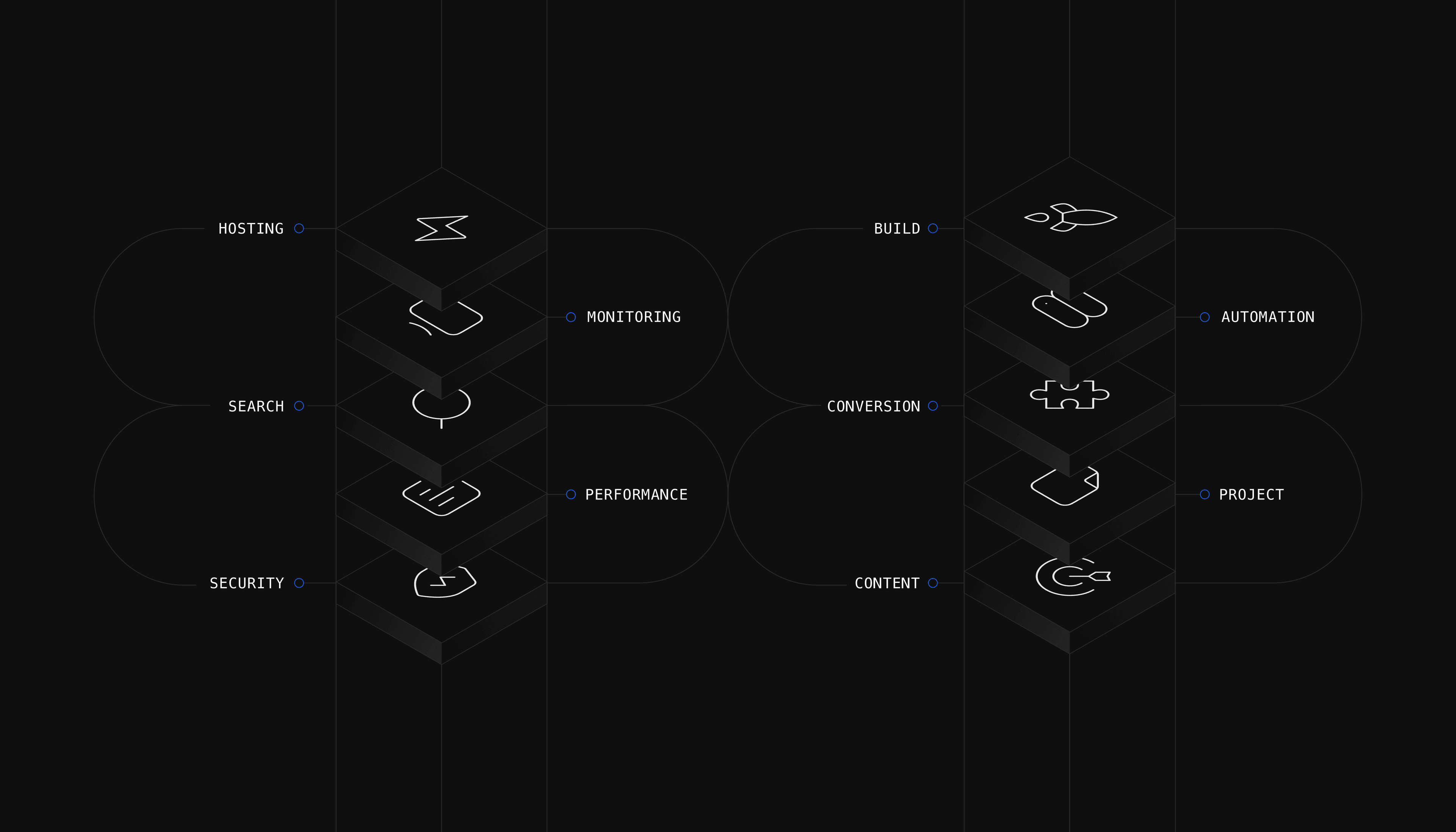
A website is a continuous operation across ten functions: content, security, performance, search, uptime, hosting, build, conversion, automation and team coordination. The stack underneath either compounds value or quietly caps the whole site, which is why picking tools by category reputation alone tends to fail.
Top Website Management Tools
Keeping a website running smoothly involves security, performance optimization, SEO and continuous analytics. The ten categories below break down the top options to help build a great website that keeps users coming back.

1. Content Management Systems (CMS)
A reliable CMS provides a direct way to create, organize and publish content without slowing down the team. Three options worth shortlisting:
- Strapi: Strapi is an open-source headless CMS built with JavaScript, with both RESTful and GraphQL APIs and a plugin system that lets developers shape the backend to fit the project. Its customizable architecture makes it a strong choice for teams that want flexibility without committing to a rigid framework.
- Sanity: Sanity offers real-time collaboration with a structured content approach, GROQ as the query language and a portable text editor that supports rich content modeling. Hosted backend services include a globally distributed CDN, image pipelines and asset management.
- WordPress: WordPress is the world's most widely used CMS and an open-source platform with a vast ecosystem of themes and plugins suitable for both beginners and experts. The REST API also lets WordPress operate as a headless CMS for teams that want frontend flexibility without changing the editorial interface.
CMS choice typically anchors every other decision in the stack. As a website grows, teams typically need to migrate from WordPress onto a more scalable CMS that can support headless or composable architectures.

2. Security and Backup
A compromised site loses traffic, trust and search visibility in the same week. Three tools cover the core defense layers:
- Cloudflare: Cloudflare guards against DDoS attacks with a Web Application Firewall (WAF) and operates as a CDN that reduces latency by serving cached content from locations closer to the audience. The security suite covers SSL encryption, bot mitigation and protection against SQL injection and cross-site scripting attacks.
- Sucuri: Sucuri delivers malware scanning, threat detection and a WAF that blocks exploits before they reach the server, with continuous monitoring across security anomalies, blacklist status and DDoS attempts. In the event of a breach, the incident response team can clean the site and restore it to a secure state.
- UpdraftPlus: UpdraftPlus is a WordPress backup plugin offering automated schedules and quick restore options, with remote storage support for Amazon S3, Dropbox and Google Drive. Encrypted backups and database encryption add an extra layer of security to a site management strategy.
A CDN-grade WAF and a backup tool need to run together. Neither layer recovers from a compromise on its own, and a backup without a firewall just preserves the breach.

3. Performance and Speed Optimization
A slow site loses visitors before content even loads, and Core Web Vitals scores feed directly into search rankings. Three tools surface what is causing the lag:
- Google PageSpeed Insights: Google PageSpeed Insights evaluates site performance on mobile and desktop, with concrete recommendations for image compression, script reduction and render-blocking resources. It analyzes Core Web Vitals across loading, interactivity and visual stability, all of which are known search ranking factors.
- GTmetrix: GTmetrix combines Google Lighthouse and Core Web Vitals into a single check-up, with detailed reports on server response times and render-blocking resources. Tests run from multiple regions and connection speeds, with waterfall charts and actionable recommendations included.
- Cloudflare's CDN: Cloudflare's CDN caches static content on a global server network, cutting bandwidth costs and improving load times by serving from locations closer to visitors. The network supports HTTP/2 and HTTP/3 for faster and more secure connections.
Performance scores drift as content and third-party integrations accumulate. Run a performance audit monthly rather than only at launch, since the cost of fixing slow pages compounds the longer it sits.

4. SEO and Analytics
Climbing the search rankings does not happen by accident, and SEO performance depends on a combination of what Google sees and what the site is actually shipping. Three tools cover the basics for an SEO-friendly website structure:
- Google Search Console: Google Search Console monitors clicks, impressions and keyword positions while flagging indexing issues directly from Google. Sitemap submission, backlink monitoring and security alerts all live in the same interface.
- Ahrefs: Ahrefs offers an extensive keyword database, a vast backlink index and rank tracking with competitor analysis through Site Explorer and Keywords Explorer. The Site Audit tool identifies technical SEO issues and Content Explorer surfaces top-performing content in any niche.
- Screaming Frog: Screaming Frog's SEO Spider crawls a site to surface broken links, duplicate content and meta tag problems, integrating with Google Analytics and Search Console for a complete picture. It also supports XML sitemap generation and directive review for robots.txt and canonical tags.
Search Console is the source of truth for what Google sees. Ahrefs and Screaming Frog cover what Search Console does not show: competitor positioning and on-site technical issues that need a deeper crawl.

5. Monitoring and Uptime Tracking
When a site goes down, the team needs to know in minutes, not hours. Three options cover availability and deeper application monitoring:
- UptimeRobot: UptimeRobot checks a site every five minutes on the free plan, every 60 seconds on paid Solo and Team plans and every 30 seconds on Enterprise, with email alerts on all tiers and SMS or Slack integrations on paid plans. HTTP(s), ping, keyword and port monitoring are included alongside response time reports and maintenance windows.
- Pingdom: Pingdom monitors from global locations and provides actionable data on page speed, downtime and user experience through real user monitoring and synthetic interaction testing. Alerts can be customized by severity and routed to Slack or PagerDuty.
- New Relic: New Relic delivers end-to-end visibility across infrastructure, applications and customer experience, with distributed tracing and AI-powered alerts that help teams identify bottlenecks fast. It is built for teams running complex production stacks rather than simple availability checks.
Uptime tools and application performance monitoring answer different questions. Run a lightweight monitor like UptimeRobot or Pingdom for availability, and add New Relic when the team needs visibility into what is happening inside the application.

6. Hosting and Domain Management
A site is only as reliable as the hosting underneath it. Four platforms cover the main hosting profiles for B2B websites:
- Vercel: Vercel is built for Next.js and other JavaScript frameworks, offering auto-scaling, serverless functions and a global CDN. The developer experience includes preview deployments for every code change and integrations with GitHub, GitLab and Bitbucket.
- Netlify: Netlify is built for JAMstack deployments, automating builds from Git and offering instant rollbacks when something breaks, all on a global CDN. Continuous integration and delivery, serverless functions and form handling come included.
- Cloudways: Cloudways manages cloud servers across AWS, Google Cloud and DigitalOcean, with firewalls, automated backups, one-click installs and managed security included. 24/7 support and easy scaling make it a fit for teams that want managed cloud hosting without committing to a single provider.
- cPanel: cPanel is often included with hosting plans and provides a user-friendly interface for server tasks like domain management, email setup, file organization and SSL installation. The dashboard makes server administration accessible without deep technical expertise.
Hosting choice typically follows the frontend framework. Next.js and React projects fit Vercel and Netlify; legacy PHP or WordPress setups stay on Cloudways or cPanel-based hosting until the next replatform.

7. Website Builders and Low-Code Platforms
Not every page or microsite needs to be built from scratch. Two platforms cover the visual and low-code options for B2B teams:
- Framer: Framer focuses on visual design for interactive websites, with drag-and-drop editing and real-time collaboration that let teams work on user experience without writing custom code. It integrates with Sketch and Figma, so design files move directly into production code.
- Webflow: Webflow is a visual development platform that gives marketing teams direct control over page structure, styling and interactions without depending on developers for every change. It is a strong fit for B2B teams that need launchpad pages, microsites and campaign experiences with minimal engineering involvement.
Visual builders work best as a complement to the main site, not a replacement. Use them for landing pages, microsites and campaign experiences where speed matters more than deep customization.

8. Conversion Rate Optimization and UX Analysis
Attracting visitors is half the work. Converting them is the other half, and three tools surface where the friction is on a live site:
- Hotjar: Hotjar generates heatmaps, session recordings and user feedback so teams can see where clicks happen and where frustration sets in. Surveys, polls and conversion funnels combine to highlight where users drop off in the journey.
- Crazy Egg: Crazy Egg provides scroll maps, click tracking and A/B testing, with a Confetti view that segments clicks by source or device to focus design adjustments. Snapshot reports visualize user interactions, and the A/B testing tools let teams test page variations without writing code.
- FullStory: FullStory records full user sessions so teams can trace stumbling points and see how users navigate each step. Search and segmentation help identify patterns, troubleshoot issues and surface signs of user frustration like rage clicks.
Behavioral data answers the why behind conversion drops, while analytics tools only show the what. Pair one of these with GA4 or Search Console for full-funnel visibility.

9. Automation and Integrations
Tools for website automation handle repetitive coordination work: syncing form data, posting updates, routing leads. Two platforms cover the practical range for B2B teams:
- Zapier: Zapier connects over 9,000 apps and supports automation without code, with multi-step Zaps that handle conditional logic, delays and formatting. Common use cases include syncing form entries with a CRM, sharing blog updates on social media and routing Slack notifications based on site events.
- Make (formerly Integromat): Make is known for visual scenarios that integrate multiple apps and is well suited to advanced automation without a programming background. Data transformation, error handling and API and webhook support come standard, with workflow complexity well beyond what Zapier covers.
Zapier handles most standard B2B integrations with less ramp time. Move to Make when the workflows involve conditional branches, data transformations or non-standard APIs.

10. Collaboration and Project Management
Managing a website is a team effort across numerous stakeholders in marketing, design, engineering and leadership. The right platform coordinates tasks, surfaces blockers and keeps everyone on the same version of the truth.
Before evaluating specific platforms, weigh the project management tools on five practical criteria:
- Ease of use: A clear interface speeds adoption and cuts training time. Tools that feel heavy at first use rarely make it into daily routines.
- Collaboration depth: Real-time updates, shared documents and threaded comments reduce status meetings and email churn across web teams.
- Integration coverage: Strong connections to Slack, Google Drive, GitHub and the marketing stack matter more than long feature lists.
- Automation and workflows: Rule-based assignments, dependencies and recurring tasks remove manual coordination work that otherwise eats into delivery time.
- Scalability: What works for a 4-person team often breaks at 20. Tools that handle role-based permissions and multi-project portfolios grow with the operation.
Score the shortlist on these five before getting into feature comparisons. Most platforms look similar on a feature matrix but diverge on these practical dimensions, which is where adoption actually lives or dies.
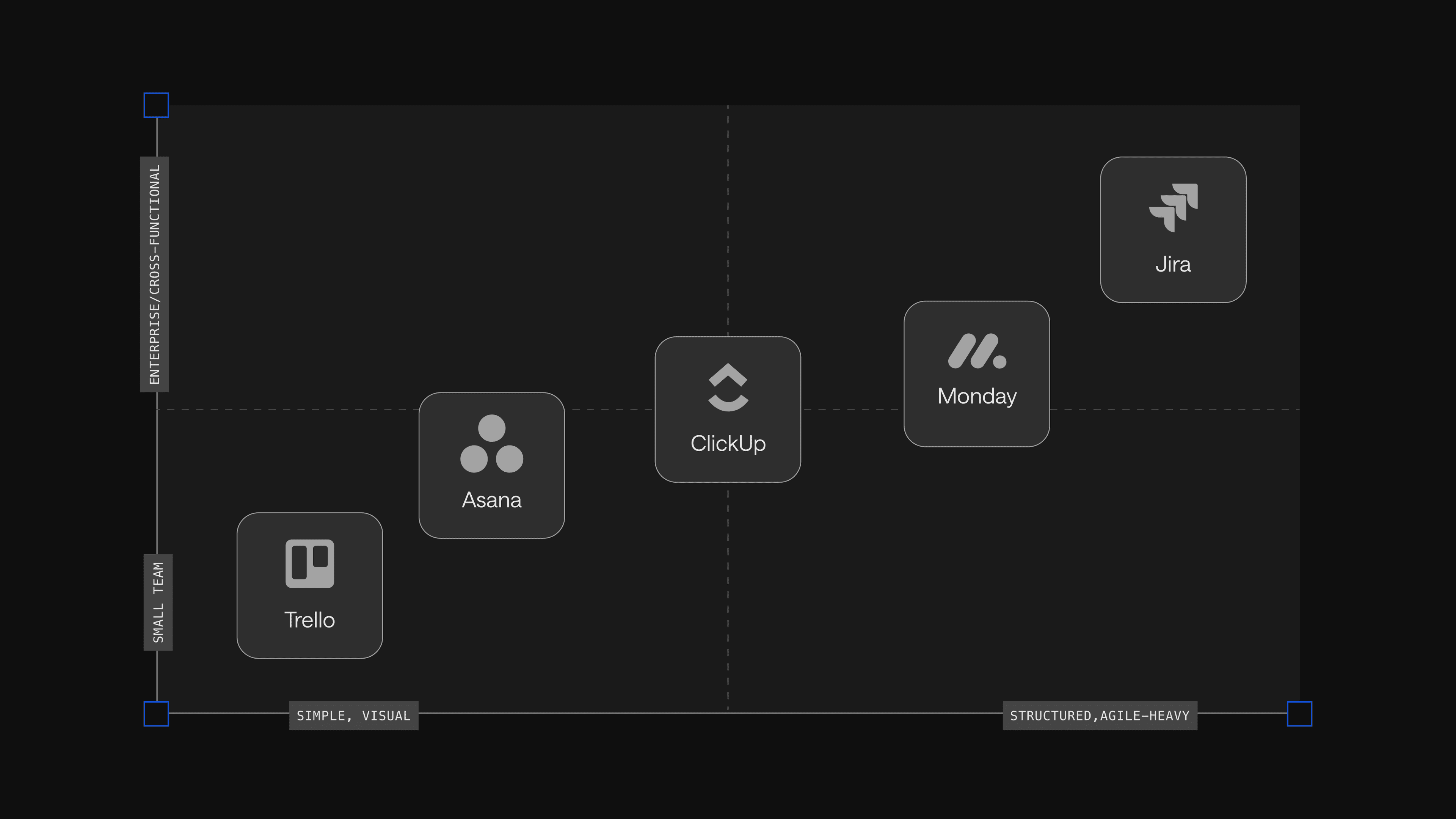
Five platforms cover most B2B website teams:
- Trello: Cards-and-boards visual task management with Slack, Google Drive and Microsoft Teams integrations, best for small teams managing content calendars or lighter workstreams.
- Asana: Structured project views (Kanban, lists, calendars and Gantt) with task dependencies and automation, best for medium and larger cross-functional web teams.
- ClickUp: Customizable all-in-one combining tasks, docs, chat, time tracking and goals, best for teams looking to consolidate several tools into one.
- Monday: Visual interface with deep Salesforce and HubSpot integrations, best for sales-aligned web operations.
- Jira: Sprint and backlog management with Bitbucket, GitHub and GitLab integrations, best for engineering-led teams running Agile or Lean.
Trello and Monday lean visual, Asana and ClickUp lean structured, Jira leans engineering. Match the tool to how the website team actually operates, not to what other teams in the company happen to use.
How Leading Teams Put this Stack to Work
A strong tool stack only pays off when the team treats the website as an evolving product, not a one-time launch. The ServiceTitan engagement shows what that looks like in practice.
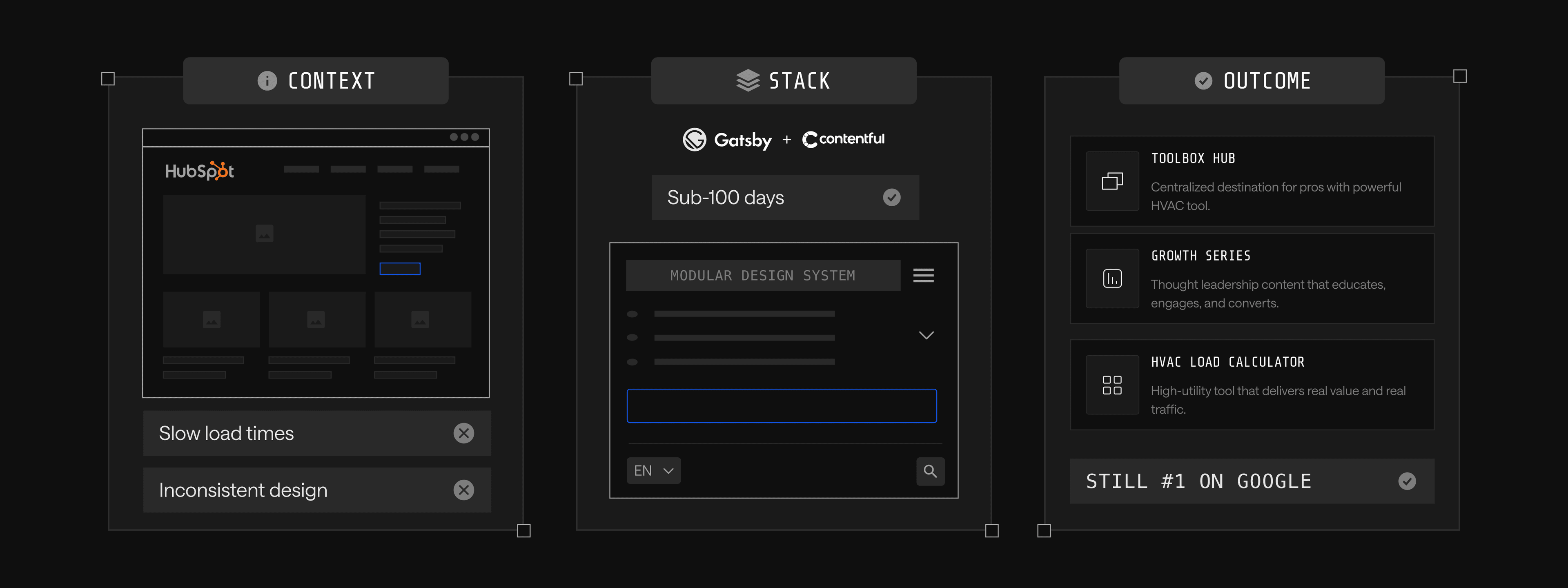
- Context: ServiceTitan started on HubSpot CMS with slow load times and inconsistent design, which capped how fast the marketing team could ship new content.
- Stack: Migrated to Gatsby and Contentful with Webstacks support, shipping the new platform in under 100 days on a modular design system.
- Outcome: Scaled content production into the Toolbox content hub, the Growth Series masterclass and a library of interactive tools, including the HVAC Load Calculator that still ranks at the top of Google years after launch.
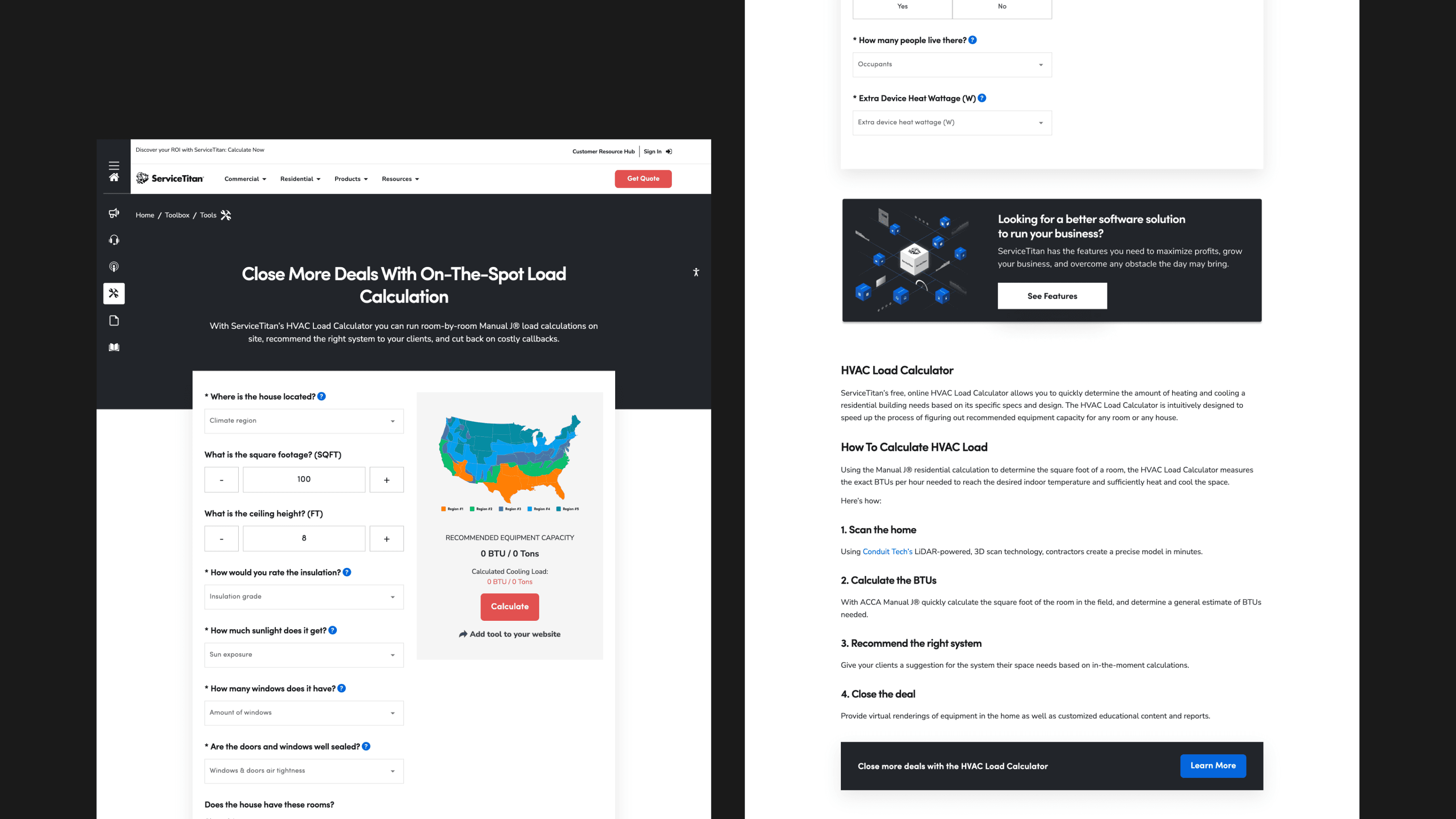
The compounding return came from the stack, not any single tool. A flexible CMS, a fast frontend, a modular design system and the operational tooling around it gave the team room to keep building rather than starting over.
The Next Step
The right management stack is what lets a team treat the website as a compounding asset instead of a one-time project. The ten layers are not equal in weight, but any one of them run weakly will pull down the others: CMS choice anchors content velocity, hosting and monitoring set the floor for reliability, SEO and analytics decide whether traffic converts and project management determines whether the team can actually ship.
The work is less about picking the best-in-class option in each category and more about choosing a coherent set of tools that fit how the team already operates. Identify what each operational layer needs based on current pain, run free trials before committing and prioritize the integrations between tools as much as the tools themselves. A modern stack lives or dies on whether the layers talk to each other.
If a headless CMS migration is on the roadmap, the headless CMS implementation checklist walks through the sequence step by step. Ready to treat your website like a growth product? Talk to Webstacks.

Your website is your biggest growth lever—are you getting the most out of it? Schedule a strategy call with Webstacks to uncover conversion roadblocks, explore high-impact improvements, and see how our team can help you accelerate growth.